Ok in preparation for upcoming features, be sure you upgrade to v1.5.1 before release of the upcoming feature release version. It’s not absolutely necessary, just a safety precaution to add some checks before importing vault files.
3 Likes
Link to make it easy
2 Likes
Hey,
These are really great developments. I’ve been playing around with NFCs in general for a while now. However, the setup of my implant has remained static. Unfortunately, the FIDO2 applet is a bit too large to use with my setup, but the Verify applet still worked, of course. It’s an awesome idea to have an implant that provides access to an encrypted online file vault.
However, I use GrapheneOS without Google Play Services, and as far as I can see, you can also use the app without GSF. However, this means I can only download apps from the App Store via anonymous accounts. This is usually not a problem for free apps or apps that have some form of in-app payment. However, I cannot install apps that have an initial price.
So the question is, will there be a way to pay for the app differently in the future? It should be possible to check whether an account has been paid for or not via the API keys. Maybe sell the API key along with the APK in your store?
Hover
Just to be clear it’s not online. The files are stored on your phone. This is a big distinction of course.
The backup feature is meant to use used to export your vault files to an encrypted file which you can then put online via Dropbox or Google or whatever.. but the files in the vault are not stored online.
I’m not sure how to solve this problem at the moment. It would involve an entire rollout of payment and licensing server, which is a lot of complication and effort that isn’t really likely to pay off, so to speak.
That said.. considering the fact files are not stored online, and the point of the vault is to give people a little extra security on their phones which might be vulnerable to imaging or other types of interrogation that graphene is supposedly not vulnerable to. My point? I don’t think the feature set really appeals all that much to grapheneOS users?
1 Like
Ah, okay, so I misunderstood at first, but that makes the app even better, as it can be used more widely if the destination can also be any file location.
I completely understand if this is too much work for you. The idea was simply to purchase the APK like a product in the store and include the API keys or license keys. However, I’m not entirely clear on the implementation details of the Verify service. But it’s a good starting point for research.
I think there are various use cases for VivoKey Vauls, not just attacks that are possible against less secure ROMs or smartphone operating systems. Cellbrite also has attacks against GrapheneOS ROMs that work on older Pixel phones that are vulnerable (unlock before-first-boot and so on).
My use case was more about being able to store less sensitive documents or information securely and make them available anywhere in the world. For example, backups of insurance policies, password containers used on mobile phones, encrypted backups of GrapheneOS you name it. I was more concerned with secure availability and portability to other devices. Secured by a P71 chip. A ring or implant makes it secure and convenient.
Due to a possible “5$ wrench attack,” it may not be sufficient for truly sensitive data with an implant and a smartphone anyway.
Hover
2 Likes
It took some doing, but update v1.7 is being reviewed by Google. In this release I’m introducing folders to the vault. These are virtual folders, not related to the actual encrypted file system in Android. This means very fast file moves between folders and no path length limits (in theory) because we’re just updating a mapping file not moving actual files around in the file system.

6 Likes
That’s a great function

4 Likes
If I may make a request, could you make this notification dismiss after the vault is relocked?
As you can see that notification is 14 hours old and my vault is definitely not still unlocked

3 Likes
Hah fix inbound..
4 Likes
Whilst you were a working on it, may I humbly request a
“lock on screenlock” option

and/or even
“lock on app exit”
one is
locking the door behind you,
the other is auto lock
4 Likes
It’s ok the roadmap.. it’ll be a minute though
3 Likes
This is actually difficult to do reliably and gets really lame.. like if you open a file to view it from the vault, then you have “exited” the app and the vault will lock and you may even have your file read blocked. I will def check out the screen lock option though.
3 Likes
update should be approved by google
4 Likes


5 Likes
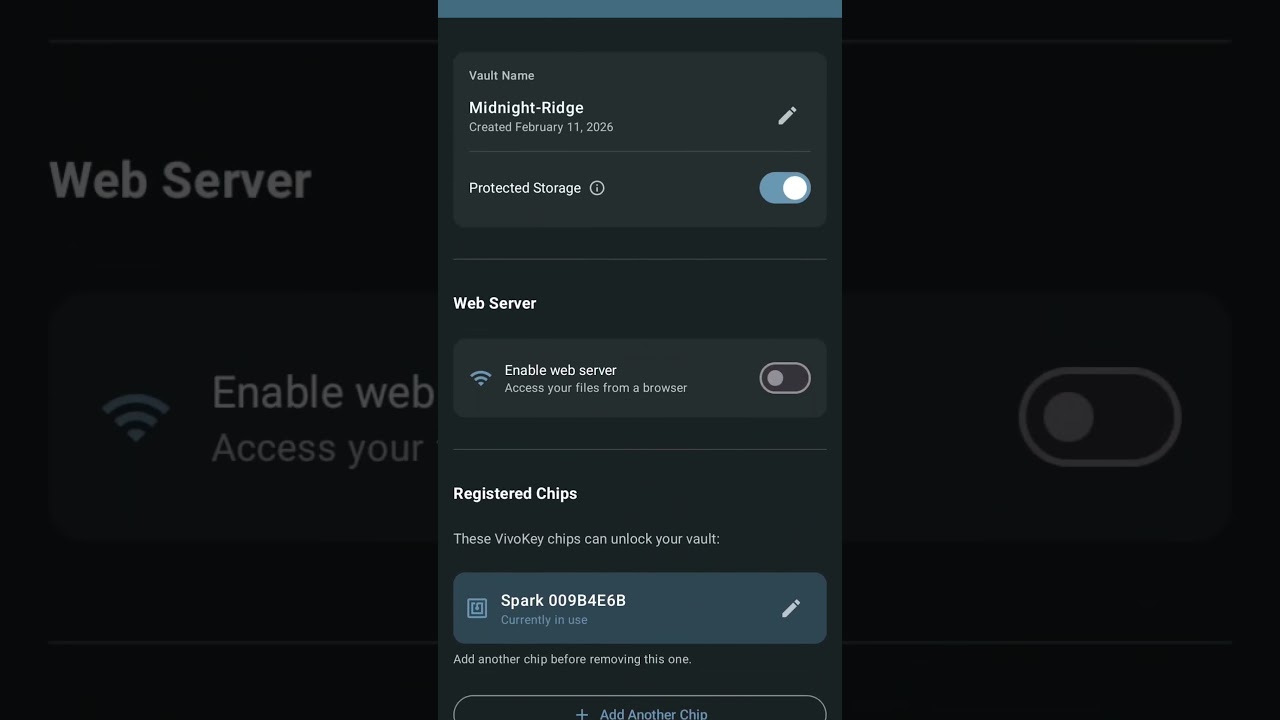
Up to Google for review. Had to request “special permissions” from Google for this because I wanted to give the http server full access to the device file system not just the managed file access service. For that I had to record a video for Google to review;
3 Likes
New version up with web server;
3 Likes
v1.9.2 - more web UI improvements. I’m really liking the web server.. so much so I might actually duplicate it into a separate app that also has clipboard features through a web interface.
2 Likes
Can it also be used as a 2FA key to add in Google itself?
Like a yubikey
1 Like
No. The Apex and flexSecure can.
1 Like
Okay, thanks for the info, I’ll look in that direction too.
2 Likes