Is there an app which I can use to keep an encrypted list on my Vivokey Apex?
Basically I’d like to store some information on it with a password.
1 Like
I know what you’re asking but I want to clarify something regarding terminology, hopefully without sounding like a jerk about it 
What you are asking for is a password protected data store, not an encrypted data store. There is no reason to encrypt the data stored on the chip if the only thing required to retrieve the unencrypted data is to enter a password. Encrypting it and storing it on the chip is not necessary because the only way to get it back out is through entry of a password, so it makes no difference if the data is encrypted and stored or just stored behind a password.
Unlike a hard drive or USB stick which stores data in a standard file system that enables anyone to just copy files off of, the chip can act as a reasonable gateway to the data such that you can reliably block access to the stored data behind a password. For this reason, there is no reason to employ cryptography to the stored data when using a purpose-built applet to protect stored data behind a password.
Also, since what you’re trying to do is out of the ordinary, you will undoubtedly need a custom mobile app and / or desktop app in order to actually achieve the streamlined data read / write experience you’re looking for… which is an entire development project in and of itself, outside the applet on chip.
With that out of the way, you have a few options;
- use some form of external encryption method and use an open form of on-chip data storage - standard NDEF (our NFC Sharing application). You can deploy a container up to 32KB there, but it will be open to anyone to access. Therefore if you want to protect the data, you could use some form of external (on the phone) encryption / decryption process to access the data in question. That way, anyone could copy your data but it would be encrypted so it would be useless to them without the key (which could be a stored key + password salt).
Pros: Immediately available right now as a solution.
Cons: You must read / write all data to update even one byte, there it is not a file system, it’s a “single document” type storage. Also requires external encryption / decryption support. Key management becomes an issue.
- Petition us to update our NFC Sharing application to support password protection. This would accomplish the basic goal of being able to protect data behind a password.
Pros: Password protection for data. No need for external encryption / decryption.
Cons: Not developed yet. No ETA on such a development. Same cons related to whole file writes for updates.
- Develop new applet for data storage with byte indexing support for writes / updates.
Pros: Applet that does exactly what you want with binary data write support with indexed writes to allow partial file updates and maybe even a simple file system with file names etc.
Cons: Harder to develop. Long development times. Potentially very costly to develop.
3 Likes
While this is probably true for a vast majority of people, it really depends on their threat model.
Having the app require a password to read the data would be extremely secure, but are you 100% certain that it is completely impossible to selectively corrupt an app? is it 100% certain that the chips aren’t vulnerable to some sort of power glitching attack?
If they are just trying to keep their shopping list private, then 99.999% is good enough, no one is going to invest the resources needed to break password protected storage. If they are a journalist reporting on war crimes and they are storing a list of their sources, then actual encryption might be warranted.
1 Like
Truthfully, I’d just like to keep a password list on it, so that if something happens my wife can retrieve them with a password.
Password managers seem all secure, but get hacked regularly.
I’d just store the list on my arm, except that someone could conceivably just pull it off my arm at a distance. Though not likely, but how many times do you get squeezed next to someone say on a subway.
So I was thinking encrypted text strings with a password to decrypt.
Seems like this is the best option (option 1).
I appreciate the education immensely. To date, no one on this forum has ever been a jerk or even condescending.
Thank you very very much all!
3 Likes
There are many facets to security… for example, is the password sent in the clear over NFC? Is the data? Are your APDUs transiting over any kind of network? Plenty of ways security could be an issue if not implemented in a secure way. A password protected mechanism though is not going to be as secure as a full AES or ECC type cryptographic key requirement, but that’s hard to manage compared to a password… and they specifically asked about “password protected”… so chances are the solution is going to have issues just being password protected in the first place… what about brute force? what about max retries? do you enable denial of service after max retries or do we want to “fail safe” and not brick things on too many tries? The actual details necessary to sort out in order to arrive at a good balance between security and user’s stated goals is legion.
Well, depends… does your chip have an unsecured ISD? can anyone load other malicious apps beside yours? can someone remove your data storage app even if they can’t access the memory contents? The chips themselves are designed for security applications and pass Common Criteria and EAL security certifications for us in passports, military applications, etc. so there is a lot of effort that goes into ensuring the chip is protected against these types of side-channel and even direct attack, which includes power glitching, fuzzing, etc.
However, you mentioned “corrupt an app” so I am assuming that you mean destroying data, not accessing it… and while these chips are also protected against corruption in the same way they are against unauthorized data access, they are also made to “fail secure” meaning there are ways to provoke these chips to essentially self destruct in the event specific attempts are made and failed accessing certain secure services on the chip… so yes it is possible to destroy data… but not “corrupt” it.
2 Likes
Just something to consider - even if you use the most powerful encryption mechanism in the world, but all you have to do is enter like 8 to 20 bytes of data that your keyboard can generate (a small subset of all possible 255 byte values) then your “encryption” is garbage and can be brute forced in seconds by anyone with a laptop from 1998 and most certainly with access to a mobile smartphone of almost any kind
This is why a password protected data vault can implement other brute force protections like tarpits for example… since the data cannot be accessed until the password is entered, brute force attempts can be controlled… whereas encrypted data that can be copied and attacked directly needs a mathematically difficult key length… and a short password is not going to cut it here.
2 Likes
Key derivation functions exist to make it unfeasible to brute force eight keyboard characters.
If the KDF takes an hour to run on a desktop, nobody’s brute forcing 32 entropy bits.
2 Likes
An hour long KDF, if I’m understanding this correctly, would then take an hour to unlock your data with an 8 character password yeah?
1 Like
Yes. The point is that bruce force resistance is a combination of the entropy of the keymaterial and the resource requirements of the KDF, Modern encryption systems use Argon2, where each guess requires time and memory to make.
1 Like
<–didn’t mean to start world war III. I’m simply encrypting the text and copying that to an ndef record. Safe from a casual passerby, but able to be retrieved.
4 Likes
I don’t think you started WW3.
People on here are passionate and love bouncing ideas and theories off each other. It really is a friendly forum, with lots of contributing and sometimes differing views.
I love it here as I learn alot and think I finally know something and then someone comes along and makes a comment which blows me back to square one!
4 Likes
Ah yeah… I vaguely remember this as an option, but only vaguely because I don’t think I know anyone who would be willing to wait even 30 seconds after entering their password to get their data
2 Likes
Eventually I plan to add “encrypted NDEFs” as an option in ZINC. You will be able to choose an authentication service like Vivokey or Google to write/read them.
So you write a text, it is encrypted using your method of choice and writen like a standard NDEF record. If you read it with anything else it will just be nonsense.
When ZINC reads it and you are authenticated then it will be decrypted.
I think this is an automated version of what Amal mentioned.
Not super soon though, I have limited time and lots to do…
3 Likes
Ignore this post, see the better suggestion below
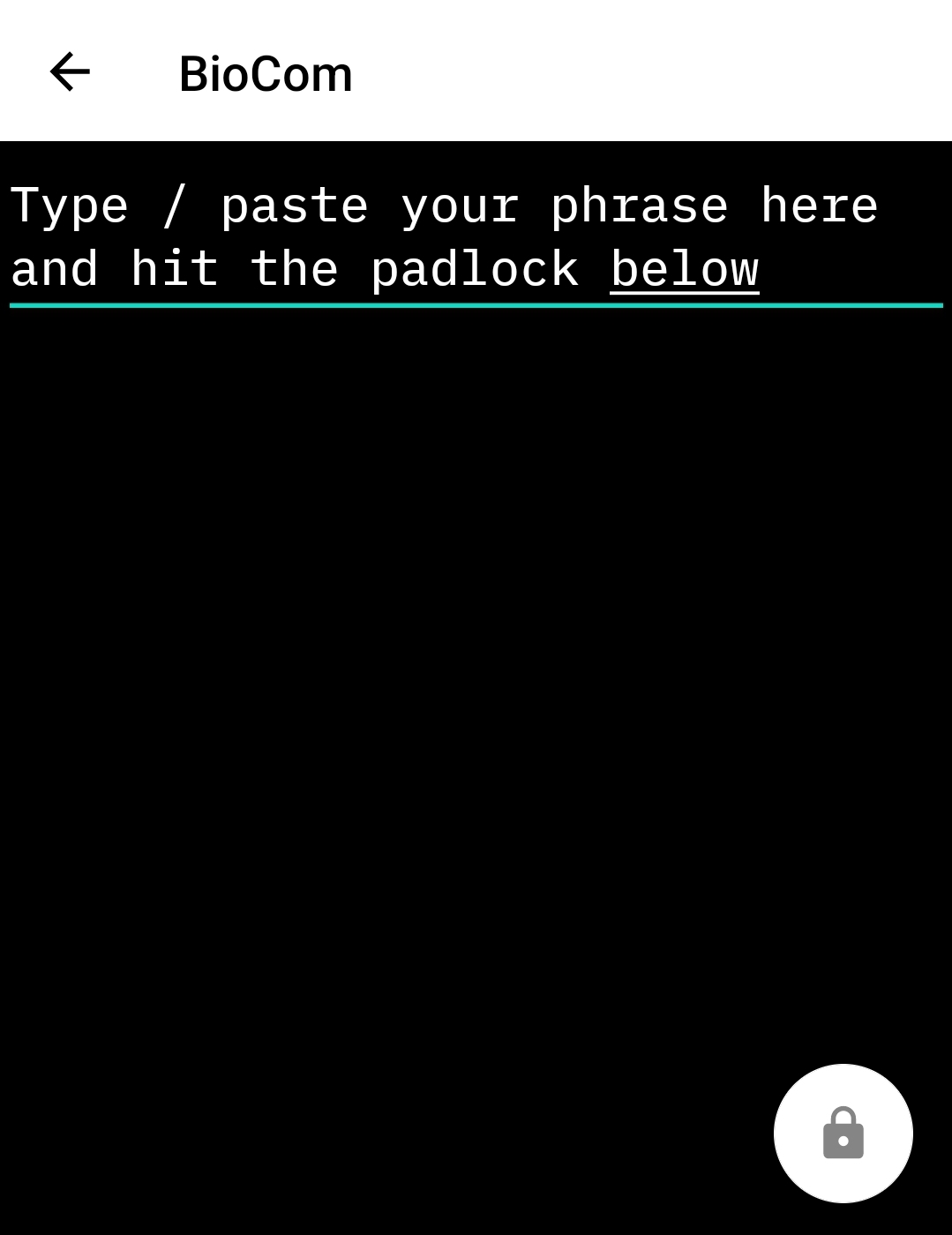
You could try BioCom
https://play.google.com/store/apps/details?id=com.hoker.biocom
I haven’t tried for a while,
@hoker might have a how to 
But something like this

OpenKeychain: Easy PGP | F-Droid - Free and Open Source Android App Repository
Then write the NDEF record


3 Likes
Actually, id Recommend using Apex Manager. If you enable advanced NDEF sharing from settings, a more refined version of this is available for text records:)
Thanks for the writeup though @Pilgrimsmaster !


4 Likes


I didnt even know that existed!!!
I love it
3 Likes
And yeah, this uses a salted AES GCM algo. As some of the discussion above pointed out, this is not impervious to brute force attacks, but I believe its good enough for now. I do plan on integrating alternative standards, including PGP encryption from the PGP VivoKey applet. This would also decrease the spatial footprint of encrypted records
4 Likes
+1 for PGP text encryption and generally replacing passwords with keys. I don’t personally encrypt text in ndef on my apex, but good luck to whoever decide to break rsa4096 or ecdsa p521 
2 Likes
