Digital Logic PC/SC uFR Zero USB NFC Reader
TL;DR
1.5/5: I don’t recommend these readers for installing flexSecure or other smart card applets. The pro version may work well for working with ISO-15693 tags, but my reader quick working after the first day.
INTRODUCTION
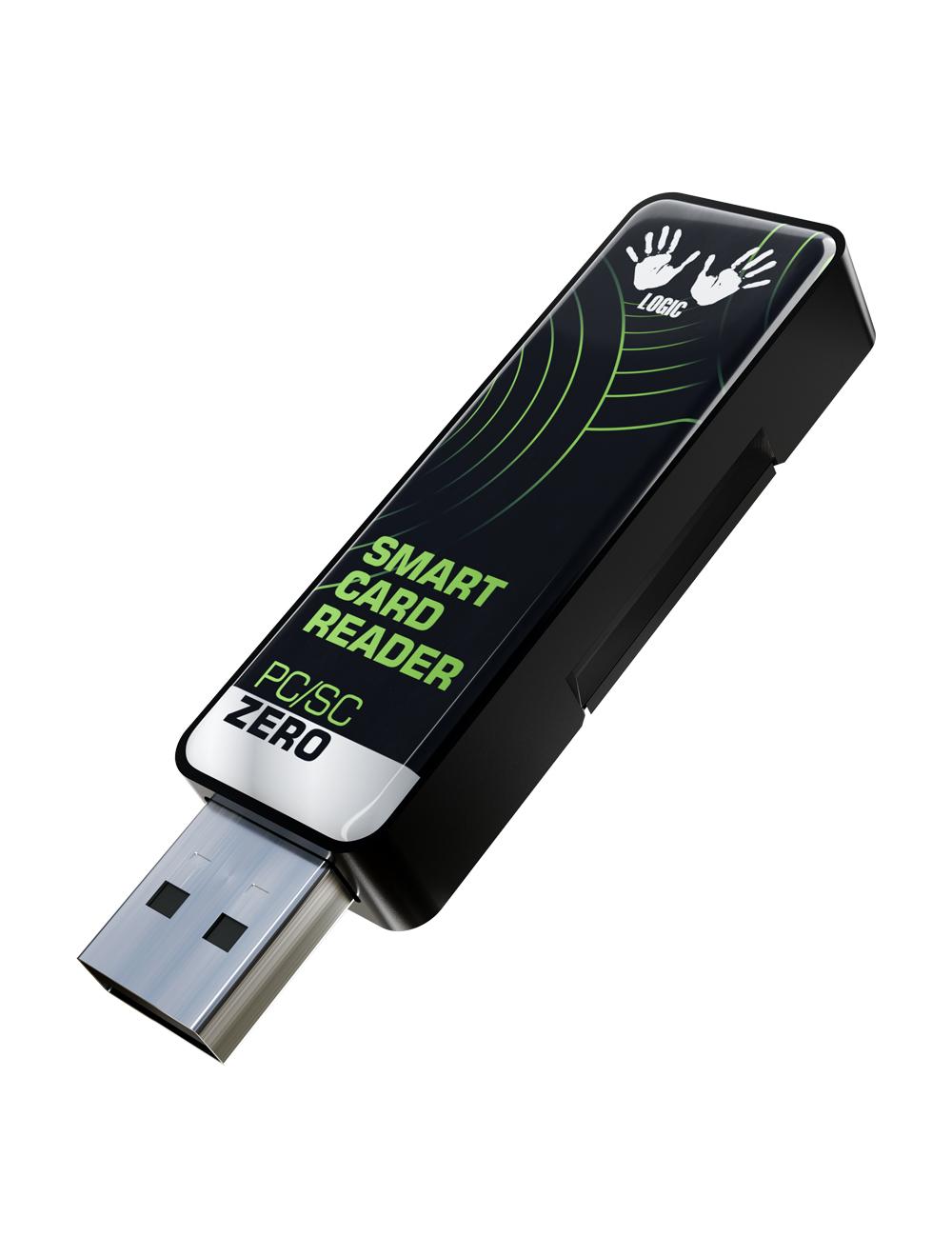
Digital Logic has two new PC/SC readers available, the PC/SC Zero and the PC/SC Zero Lite. These appear to be replacements/upgrades over the very capable and recommended DL533R which is no longer directly sold. The readers also come in a board-only version which might make then suitable for integrating into other products or devices.
The PC/SC Zero and the Zero Lite are nearly identical. The only difference is that the regular version supports reading ISO-15693 tags (e.g. the extended range iCode SLIX chips used in the xSLX, library books, etc).
I purchased one of each for €39/$45 and €59/$68. Shipping to the US from Serbia was $37 via DHL. There were no import duties or tariffs. The readers shipped the day after they were ordered and arrived quickly.
Most of my testing was done on Windows 10. Both readers worked out-of-the box and were identified as smart card devices. I also confirmed they were recognized and could read chips on Linux Debian with the pcsclite package installed.
The readers have a single LED that blinks blue when powered. The LED turns solid green when it detects and interfaces with an NFC chip. Unlike ACR’s readers, there is no piezo speaker that chirps when a card is detected.
The readers need a USB extension cable, such as this 6ft one from Amazon, to be used effectively. Their small form factor means they could be used for a laptop, but only for simple communications such as reads, as they are too small to balance a card or chip on for extended periods.
TESTING - REGULAR VERSION
With the regular, non-Lite version, I was initially able to easily read and write some iCode SLIX tags from Amazon, using WakDev’s Windows GUI application called NFC Tools. NXP’s NTAG Writer for Windows doesn’t support SLIX tags. The read range for the SLIX tags was impressive. A couple of inches without a repeater, and close to 6 inches with one of @Hamspiced larger repeaters.
However, during my 2nd round of testing with the non-lite version, the reader stopped working. It is possible that the repeater broke something, but I doubt it. The reader did drop onto my desk from a few inches, but it was a soft impact. The reader showed as powered (blinking LED) and the LED would turn solid when a card was placed in front of it, but it was no longer able to communicate with a computer. Windows 10 no longer detects the reader or even that a USB device is connected. Windows 11 shows an unknown USB device with the message “Device Descriptor Request Failed”. I tried on three different Windows machines, using multiple ports, with and without the extension cable. All had the same result. I will contact Digital Logic’s support and see what they have to say. I’ll update this review once I get a response.
TESTING - LITE Version
The uFr PC/SC Zero Lite was able to read a variety of tags I had lying around. Several NTAGs (both cards and stickers), a few Mifare cards, and two different P71 chips all read without issue. I used WakDev’s NFC Tools to get basic chip info and to test some NDEF record writes. Reading worked nearly 100% of the time. Writing NDEF records worked about 80% of the time.
The reader was able to detect the xNT I have in R0, but it took some fiddling. I didn’t try writing any NDEF records to my implant.
Most of my testing was focused on installing and using flexSecure Javacard applets. Those tests did not go very well. I tried a couple of different P71 cards initially, then settled on using the J3R180 sold by DT. I was able to list applets fairly easily (via gp.exe --list)
I was unable to complete a single installation of the FIDO2 applet without using a repeater. I tried multiple orientations of both reader and card. I tried both placing the reader on top of the card, and the card on top of the reader. I had a little more success with the latter, but still not enough to complete installation. Installing and instantiating the FIDO2 applet is one of the most data-intensive things you can do on flexSecure/Apex which makes it good real-world test.
Anytime I failed to run a gp.exe command (install, list, delete, etc) the failure mode was the same. The reader would disconnect from the card (LED would turn from solid green to blinking blue), Windows would “ding” with a device removed alert, and gp would report “Failed to communicate with card in JnaCardTerminal … Transmit failed: SCardTransmit got response 0x458 (null: null) … PC/SC failure: SCARD_W_REMOVED_CARD”. A quarter second later the reader would re-detect the card and Windows would detect a new device. I believe this is what @tac0s refers to as a “brown out”.
The only way I was able to get FIDO2 installed was via the use of a large Hamspiced repeater sticker. Even then it took a number of tries to find a good position and I still have about a 25% failure rate during multiple attempts without moving the card or reader.
The table below compares FIDO2 install times for the uFR with a repeater to the trusty ACR1252U.
Measure-Command {gp.exe --install .\FIDO2.cap}
| Attempt | uFR + repeater | ACR 1252U (no repeater | ACR 1252U + repeater | |
|---|---|---|---|---|
| 1 | 15.9s | 11.2s | 11.1s | |
| 2 | 16.1s | 11.2s | 11.1s | |
| 3 | 15.9s | 11.1s | 11.1s | |
| 4 | 15.9s | 11.4s | 11.2s | |
| 5 | error | 11.1s | 11.1s |
TEARDOWN
I’m a software developer and thus unqualified to open housings or look at circuits.
PROs
- Great form factor. Very easy to place and use when connected to a USB extension cable.
- LED light clearly shows when a chip is detected
- “regular” version could be very useful for SLIX/ISO-15693 tags
- The full official title of the device has 5 acronyms in it!
CONs
- Unable to install the FIDO2 applet without a repeater
- Even with a repeater, slower than a naked ACR 1252U.
- My non-lite unit broke after a few hours of use
- Nothing on the device itself indicates if it is a lite or normal version. The only distinguishing mark is a small “lite” sticker on the box it comes in
- No direct U.S. distribution
LINKS AND RESOURCES
- Regular version: PC/SC RFID Smart Card Reader Writer - PCSC Zero USB Dongle
- Lite version: PC/SC RFID Smart Card Reader Writer - PCSC Zero Lite USB Dongle
POLL
Rating by the community 
PLEASE ONLY VOTE IF YOU HAVE ONE OR HAVE USED ONE
 =
= 
= 
= 
= 
= 
- 1
- 2
- 3
- 4
- 5