NTAG TAG FIXES
This post contains various fixes for NTAG based products like the xNT, NExT, flexNT, xSIID, etc.
Setting a blank NDEF on your Type 2 NFC tag
Sometimes NDEF records get borked which can cause problems writing or updating your NTAG / Ultralight. This is the first step in attempting a recovery.
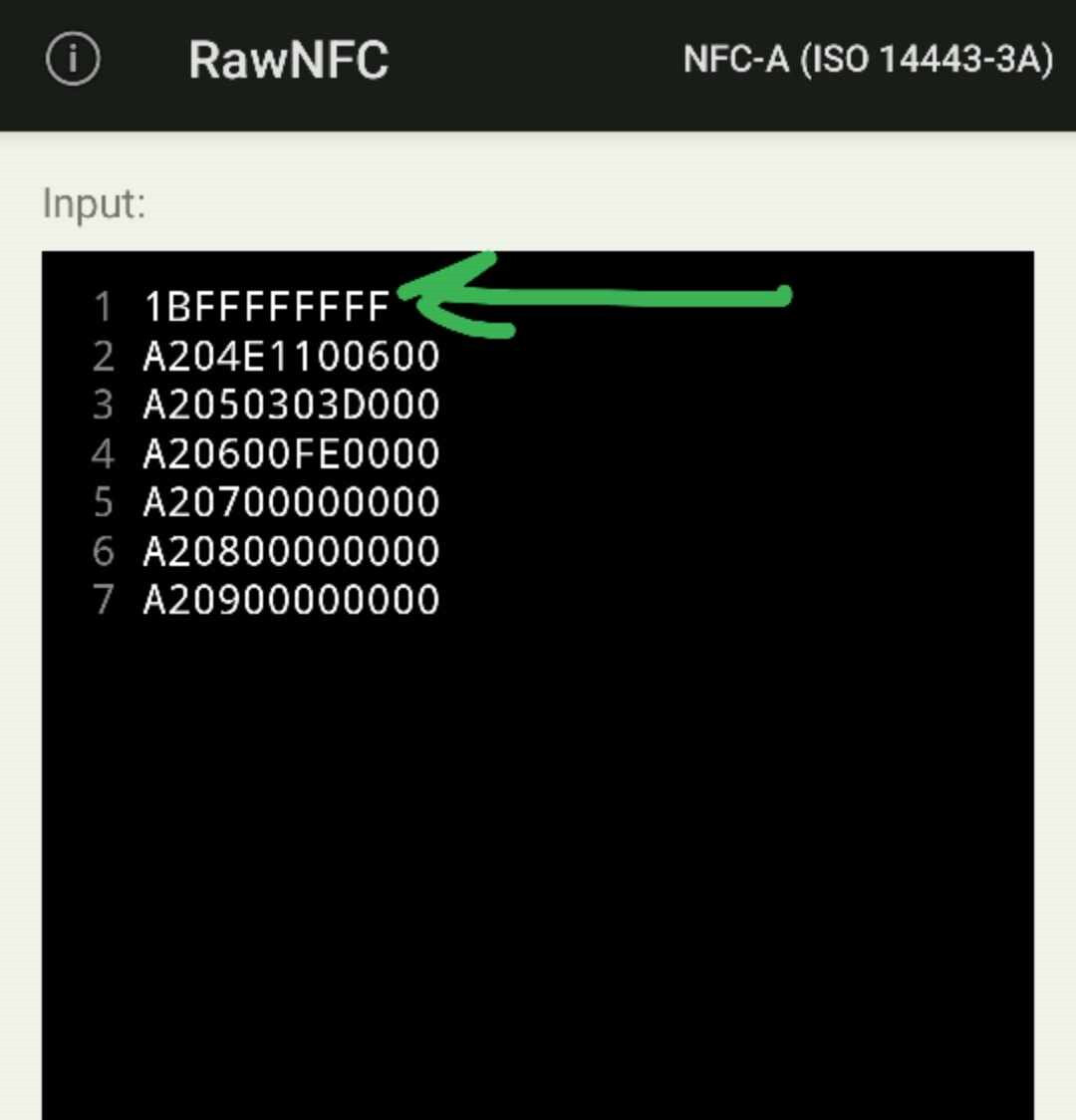
This command will simply write a blank NDEF record starting at page 04 and null blank the following pages 07, 08, and 09 just for good measure. Each successful write should return 0A in acknowledgement.

Authenticate first, then write blank NDEF
For people with write-protected user memory, the first line is an PWD_AUTH command using the default FF FF FF FF password.
It is not possible to unset or remove the password, it must always be set to something, so usually that is the factory default of FF FF FF FF. If you have set your password to something else, swap out the FF FF FF FF for your 4 byte password in hexadecimal format before executing this command.
NExT v2 Factory Set
Programs a blank NTAG I2C as a NExTv2, setting the CC, locking lock bits, setting the password, changing AUTH0, and programming in the default URL https://dngr.us/scan-nextv2