The thought process is that 9 of the keys will be used for macros, and 1 will be to switch between 2 or more layers. The OLED’s only big responsibility is to show the current layer’s name (ie. “Helldivers”, " Utility")
I grabbed a couple pi picos, some gateron beer switches, some itty bitty OLED screens, some hotswap sockets, and some extra soldering stuff.
The case will be 3d printed, and the hotswap sockets are planned to be more or less loose, no PCB. I’m going to find a way to get them stable enough to not risk getting tossed around. The goal with that, was to not ‘ruin’ any switches by taking an iron to them, but still not designing and custom ordering a PCB.
Oh, and I have a close friend who is a programmer by trade. They get one too, with the “string attached” being that they have to help me with the QMK/VIA firmware if I get stuck.
Edit: Almost forgot my layout image (not to scale)
In theory I shouldn’t have a matrix if I’m understanding how this should be wired. The reason I chose the full size pi pico was so that I would be able to have way more GPIO pins than I needed, even if I added more switches/encoders/etc in the future. One GPIO pin per key, and a few shared ground pins.
You just contradicted yourself… Multiplexing the switches will make the wiring a lot simpler and cleaner.
Also, I’d like to encourage you to design a PCB. It’s not difficult and you’ll get a better and more durable result. As a matter of fact, I made my first PCB when I was 8. Trust me, it’s not hard.
Well, I had a problem with the dongle on another Razer mouse as the solder joints of a ferrite bead polyfuse were kinda cold… I thought that I had spilled water on it, hence why I went to the trouble of taking it apart. And I also thought that it was a one off problem.
I guess that explains why the performance has been degrading over time. Now if those things were easier to take apart…
Edit:
Well, the first dongle looks ok…
And the second one as well…
Pretty sure that it’s the Synapse software and Razer’s firmware at this point… I’m also not sure if all dongles run the same firmware even if they are supposed to be the identical and compatible with all of their products that don’t use the newfangled 8kHz dongle.
Also, the dongles I opened up today had a polyfuse, not a ferrite bead. So chances are that the one I fixed also has a polyfuse, even if it’s black and has no markings.
Hmm.. Maybe more wires, but simpler in concept, no?
Cost is my concern, not capability. Maybe in the future, sure, but from what I have heard, ordering small batch PCBs can get expensive?
Edit: I have looked into pricing with pcbway. For two boards, it would cost me roughly $120 before shipping. For 10 it would cost $150.
Considering the rest of the parts (enough for 3 of everything including keys except only 2 pi picos) is only $60, I don’t think that this would be worth it for me. This project will only get used as media controls and some macros for games like Helldivers2 and BeamNG, so I don’t think the higher cost is worth it. Maybe if I were selling a batch of 20, sure, but as is.. It’s just not worth it.
The goal here is “fun weekend project that I can learn from and extract some value from”, not “perfect macropad for me”. If that were the case, I’d be adding a few dozen switches and 3 rotary encoders, plus a fullmetal case and RGB.. I feel like I need to work my way up to that. One step at a time until then, imo.
If I’m approaching this from the wrong perspective, feel free to let me know.
Take a look at OSHPark. A 2x3" two layer board would cost $30 and you get 3 copies of your design.
Of course, the smaller the board, the cheaper it’ll be to get it fabricated. But you’re 3D printing the case already, so you’re not limited by the mounting holes or slots of an existing case.
It seam out of stock for now, but im sure there is a lot of equivalent on tindie…
you dont have as much freedom, but you get a customer PCB for a lot less …
$5 worth of microcontroller
$6 (ish) worth of switches
$2 (ish) worth of OLED screen
200g of filament (for case and caps)
and
Very basic soldering skills
Me and my accomplice have decided that this hyper-low-cost macropad definitely is not the best in the world, but for having 11 keys and an OLED, $15 is a pretty darn good price tag for someone who just wants something. Poor economic conditions should not stop someone from being able to quickly get something simple like this.
We’re working out the final kinks, README, etc, and will be making this available under a GPLv2, complete with instructions and tips to improve the macropad if you have just a few dollars extra. Also it is qmk/via compatible.
Once this is released, we’ll eventually start working on a second version, this time with a custom PCB (as per @enginerd’s suggestion), two or more rotary encoders, possibly* a better OLED, USB-C, and likely more keys. I would also like to implement a few techniques to make this sound good. We will still try to maintain a low cost.
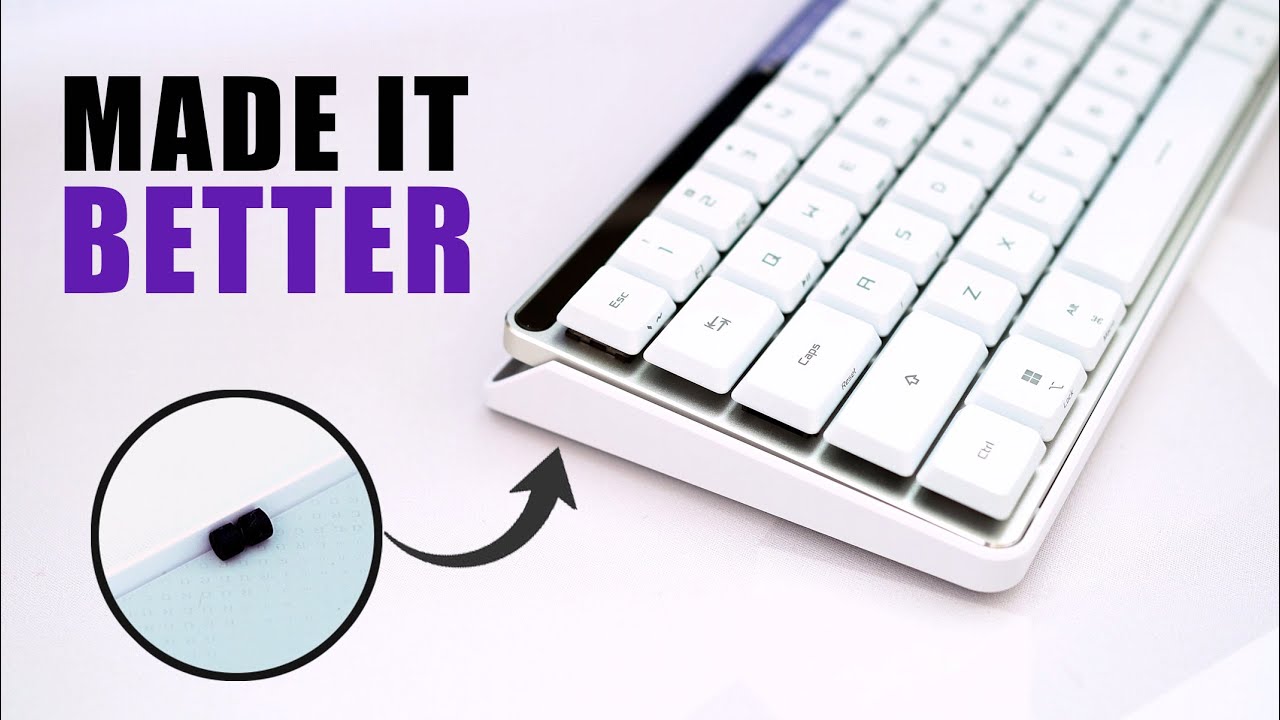
I have the original Falchion with Cherry Browns and it also came with a cover tray thing. So I’m thinking about trying this. What foam or silicone do our local cyborgs recommend?
I’m also going to do a hotswap mod to my Falchion, but I haven’t had the time or energy to do it… Also, I like the Razer Orange switches a lot more than the Cherry Browns, but I’m open to recommendations for when I actually get around to modding that keyboard.
Regarding Razer, their products feel nice and are well built but their firmware and software is annoying. Their on board profile memory is quite limited and can’t store RGB settings, and while you can set a few lighting options with Fn key combinations, those settings get deleted the moment that the keyboard talks to Synapse. I bought their stuff because I could use a single dongle for a keyboard and a mouse but that has also been temperamental and prone to interference.
Ok, the holes of the pads for the switches are 66 mil (or 1.68 Pilgrim units) so there’s plenty of space for adding turned sockets. Please bear with me as this is the first time I mod a keyboard…
Also, I hate how the bottom board and battery are mounted… Those components are not easy to take apart. And they’re even harder to put them back together without messing with the glue that keeps the battery in place…
Also, those stabilizers are a pain to deal with… I prefer the ones that remain in the keyboard and you don’t have to unhook the keys to then remove the slotted peg things to then fit them into the keyboard, to then press the keys in place…
Can someone please reply to me? I’m taking over the thread and I’m approaching the limit of consecutive replies…
TIL that Rtings reviews mechanical switches:
And the Gateron Melodic switches look nice:
Although, I’d like to hear @Hamspiced’s opinion on the subject.
Still, something tells me that I’m going to spend an afternoon with my 3D printed switch opener and lube station regardless of which switches I buy…
I also have a bunch of TTC Razer Oranges that have been lubed by someone who doesn’t know what he’s doing. But at least the shells are tight enough to not require films.
On a side note, don’t buy Razer. The single receiver feature that made their ecosystem attractive for me is buggy AF! They underdelivered.
I prefer plate mounted stabs. Many people don’t because you have to remove the plate to get to them. Which means you have to remove all the switches also.
Make sure you lube your stabs and do the bandaid mod to them while you have them out
I don’t know enough to have a solid preference. But I know that all my keyboards have plate mounted stabilizers. Although Costar stabilizers are a bit unwieldy, the ones that stay in the keyboard are easier to deal with in my inexperienced opinion.
I’ve been thinking about trying the dielectric grease mod on the Costar stabs of the Falchion, but the bandaid mod sounds less risky.
Yeap, I had a Corsair K63 Wireless board with Cherry Reds many moons ago but tend to prefer the TTC Razer Orange feel. Provided the Corsair was cheap on every front and it came with the worst keycaps I’ve ever used. Additionally, I haven’t tried that many switches…
I have Cherry MX in the Falchion, and while I intend to lube them, they are a bit too scratchy for my liking. So I’ll probably go with something else when I finally get around to doing the Mill-Max mod on that small keyboard.




 in the Falchion, and while I intend to lube them, they are a bit too scratchy for my liking. So I’ll probably go with something else when I finally get around to doing the Mill-Max mod on that small keyboard.