The anti🚫-derailment🚃 & thread🧵 hijackingšŸ”« thread🧵 ⁉

Hey @Aoxhwjfoavdlhsvfpzha
You know how it has the
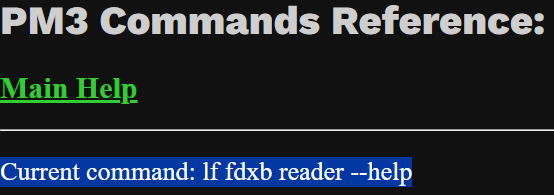
Current command: Current command
like this


Could the Current command be on a separate line so you can triple click to highlight so you can then quickly copy
OR
can there be a COPY function?
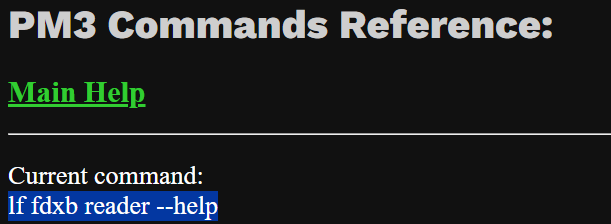
like this
image

Current command:
lf fdxb reader --help

This is a great tool :+1:
Thanks again

1 Like

This is a wonderful resource! I can’t be the only one who finds Proxmark impenetrable to the extent of having a mental block just seeing it in the drawer. This makes me want to set it up and explore. Great job! :+1:

3 Likes

I just moved you post because I’m tring to keep the thread clean with only tips and tricks, with no comments and questions

1 Like

I greatly appreciate it, but I also would like to point out that’s it’s literally a carbon copy of the PM3 client, so any work that went into making my page user friendly is a direct result of their efforts to make the client less impenetrable

1 Like

How’s that?

1 Like

On that, I thought I was being smart.
I had the intention to make the Handy Dandy PM3 thread for a while, and I thought your ā€œPM3 emulatorā€ would be perfect for the FIRST POST.
But now it shows as 2 years old.

I hope it still gets the use and love it deserves
SO people cant find it and love it :heart:

( I can move it to the end if you want it to be the latest)

2 Likes

Nah, let anyone new to the forum who stumbles upon it believe I’ve mastered time travel

2 Likes

Bloody perfect

Thanks

1 Like

I love my Proxmark3 RDV4, and think that I should also get myself a flipper.

5 Likes

Well this seems promising.

Edit: except for the removal/reimplantation procedure.

1 Like

Just gonna leave this here…

Gosh, I wish! Having Bluetooth would be awesome!

I’ll watch the video later, but I’ll lament not being able to actually become a robot for the time being. :cry:

2 Likes

WTF!? That guy needs help and belongs in the you know what thread!

:man_facepalming:t2:

1 Like

Yup! Thanks!

2 Likes

not knowing what a Sam or Nard is… This sentence really makes me giggle

3 Likes

Me either, but I got curious


How the Seader App Works With HID SAMs and Flipper Zero

MK

Mert Karakaya

•Published Dec 01, 2023 03:52 AM

While Flipper Zero (see test) has become a viral sensation, it does not work out of the box with HID’s widely used SE / Seos ā€œhighly secureā€ credentials. However, a new app, Seader, enables working with and even exploiting those credentials on HID ā€œstandard profileā€ readers.

IPVM Image

In this test, we explain how the Seader app works and leverages HID’s product to decipher iClass SE and Seos credentials.

LINK

3 Likes

I’ll have some sam for my nard and a cup of coffee for me please :point_up:

3 Likes

I made a ā€œsuper Xemā€ :sweat_smile:
I installed an Xem about 1/4" away from my NExT (the next is gonna come off soonā„¢ … ) and I get super read out of the 2 t5577 in parallel :rofl:
(Both have the same data)

4 Likes

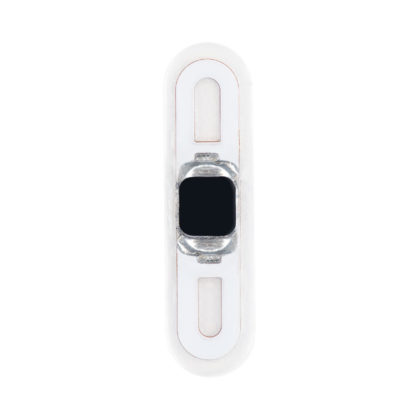
When you get a Flex implant installed, is it put in chip-side facing up at the skin, or down towards the rest of the fleshy-bits?

Does it matter?

1 Like