300mm/s was far too much. gonna tone it back.
for anyone that wants to watch for the next 20min
edit. 225mm/s seems to be my max before i start getting artifacting. Thats gotta be pretty good no?
300mm/s was far too much. gonna tone it back.
for anyone that wants to watch for the next 20min
edit. 225mm/s seems to be my max before i start getting artifacting. Thats gotta be pretty good no?
I’m playing around with a direct drive conversion and had problems aligning everything. The slight bend I had in the filament path was creating a bit of friction so I shimmed the hotend last night.
So far, I managed to get a maximum flow rate of 23.18mm^3/s with cheap no name ABS, but the test print started to warp at 18.375mm^3/s. I was getting slightly less than this at 17mm^3/s so aligning everything did not improve things by that much and I’ll keep the cap of 16mm^3/s just to be safe. ABS loves to accumulate internal stress and warp.
As far as PLA goes, I’m waiting for the printer to finish the test part, let’s hope that it improved a bit more than the ABS. 
I don’t know what that converts to in flow rate but I suspect that it might be higher than 30mm^3/s. And as far as speeds go, it’s very good and above what the E3 can do with good firmware. Klipper and Input Shaping might be worth considering to get the most out of that printer.
What hotend and nozzle are you using? The ones that came with the Ender 3?
I run Klipper, did input shaping when i put the stabalizer rods on it.
but mine is a bowden tube setup.
All Metal Extruder
Microswiss hotend
high flow .4 nozzle
Noctua fan upgrade
Bimetal heatbreak
225mm/s with .4 nozzle gives me a volumetric flowrate of 28.26mm^3/s
That is insane!
I’m using a genuine CHT nozzle on the stock hotend with a Copperhead heatbreak and I doubt that I’ll be able to get that speed, my extruder is loosing steps as we speak and I already increased the current to the maximum the motor is rated for.
I’m assuming that you are using one of those nozzles with a copper insert, right? Otherwise, tell me your wisdom, cyborg of the internet. 
That is correct.
https://www.aliexpress.us/item/3256805971117976.html?channel=twinner
Wait, that’s with a steel nozzle that has the copper insert!? That’s amazing! Steel nozzles have never played nicely on my end but I’ve never used the high flow version.

I had to up my extruder temp to 220 to get it reliably efficient. which i know is pretty high compared to others.
I’m not getting that performance at 220C out of my brass CHT.
Time to run another test with the updated current from the start.
I managed to get 20.5mm^3/s out of the genuine CHT and Hummingbird extruder. But chances are that the hotend side of things matters more. I’ll measure the current at different speeds eventually but this is pretty good for the time being.
I’m also amazed that a chinise knock off is better than the genuine CHT. I ordered a brass knock off a while ago to test and compare it but I’m now planning to install it as soon as it gets here.
I have another question for the awesome @Hamspiced, what extruder are you using? Also Microswiss?
This cheapo extruder kit.
I had to modify my Extruder stepper motor because mine was smooth and the new ones have a flat spot cut in them. i had to press out the old gear, grind down a side of the shaft, and then put the new gear for the all metal extruder on.
And this is a final run with the dialed in flow rate
Some weekend “fun”:
Not the first time I run an M6 tap through the heater block to clean burnt plastic out of the threads… I should get an M6 die to clean the nozzles and heatbreaks when this happens.
I was having problems with the Z offset as it was drifting, however, what prompted this investigation was the fact that the nozzle wasn’t fully seated as it’s a V6 CHT in a MK8 hotend and I thought that this could be limiting the flowrate so I wanted to move things arround. And I found an even larger problem while trying to figure thing out.

Make sure your tightening it 10-20 degrees above your printing temp, otherwise it’ll be prone to coming loose
I did that at 300C just to be safe
Oof, at least you found the problem. I’ve been there before. That right there is what made me get the microswiss
Some additional things to consider, but I’m not familiar with that exact make of hotend so ymmv
Careful with those high temps, if a non all metal, those temps will decompose the ptfe and off gas some particularly bad juju
On my micro Swiss they actually claim your supposed to tighten your nozzle in some weird manner… I never really did and had lots of issues… till I took a crack at it
It was something like tightening the heat break to the block first, and making the nozzle butt up against the heat break and not the hot block
2x threaded objects acting against each other superior thread locking or something like that
(Speaking of… I wonder how ceramic rockett thread locker would work?  … use it on silencer mounts all the time, and it gets waaaay hotter )
I didn’t mention it because my picture shows that I have an all metal heatbreak. If you’re curious, it’s the stock MK8 hotend that came with the printer with the upgraded heatbreak and a V6 CHT nozzle.
This applies to all hotends that have a separate heatbreak and nozzle. However not all heatbreaks have the hex thing like the Microswiss. So normally you screw in the nozzle all the way and then back it out by about 3/4 of a turn, then you screw in the heatbreak all the way until it feels tight against the nozzle, and finally you tighten the nozzle.
The nozzle should be pressing against the heatbreak on the back creating a seal between the two.
However, knowing all this didn’t prevent the melty moment from happening and I could use some ideas on how to clean the copper threads on my old heatbreak.
With that out of the way, replacing the Copperhead heatbreak that I had in there with a no name bimetal improved the maximum flow rate slightly. Maybe it was the assembly error but I suspect that the nozzle didn’t start to loosen until the Z offset started to drift. The Copperhead has copper threads that supposedly increase the length of the melt zone but the cheapo has a countersink on the side that’s in contact with the nozzle.
I can’t tell for sure but I suspect that the additional space on the back of the CHT might help slightly?
In any case, cheapo bimetal heatbreaks are fine, all metal ones are probably fine as well, and there’s no reason to get the expensive one from Slice.
Thread files.
Each side of the file has teeth set to a different pitch. If you spin your threaded part (in a drill, perhaps?) Then you can put the corresponding thread file w/ correct pitch on the thread and it’ll be drawn across the threads cleaning any garbage out. May take a few passes.
Just remember, the number on the side corresponds to THAT side. If you can see the right number on the top, then you’re using the wrong number on the bottom.
Honestly?
I always just heated up and swirled a qtip around in the threads, and it would pull the molten crap out
Went through a handful of qtips and it’d be fairly clean
The qtip method sounds useful. I used a tap and a paper towel and while it is a better method, it requires a special tool.
As for the fancy heatbreak that’s now in my parts bin, it has enough burnt PLA that I I think that I’m going to need thread files or a die unless there’s a better way.
On a side note, I got pretty close to the CHT results with my genuine CHT nozzle so I think that everything is ok now on my end:
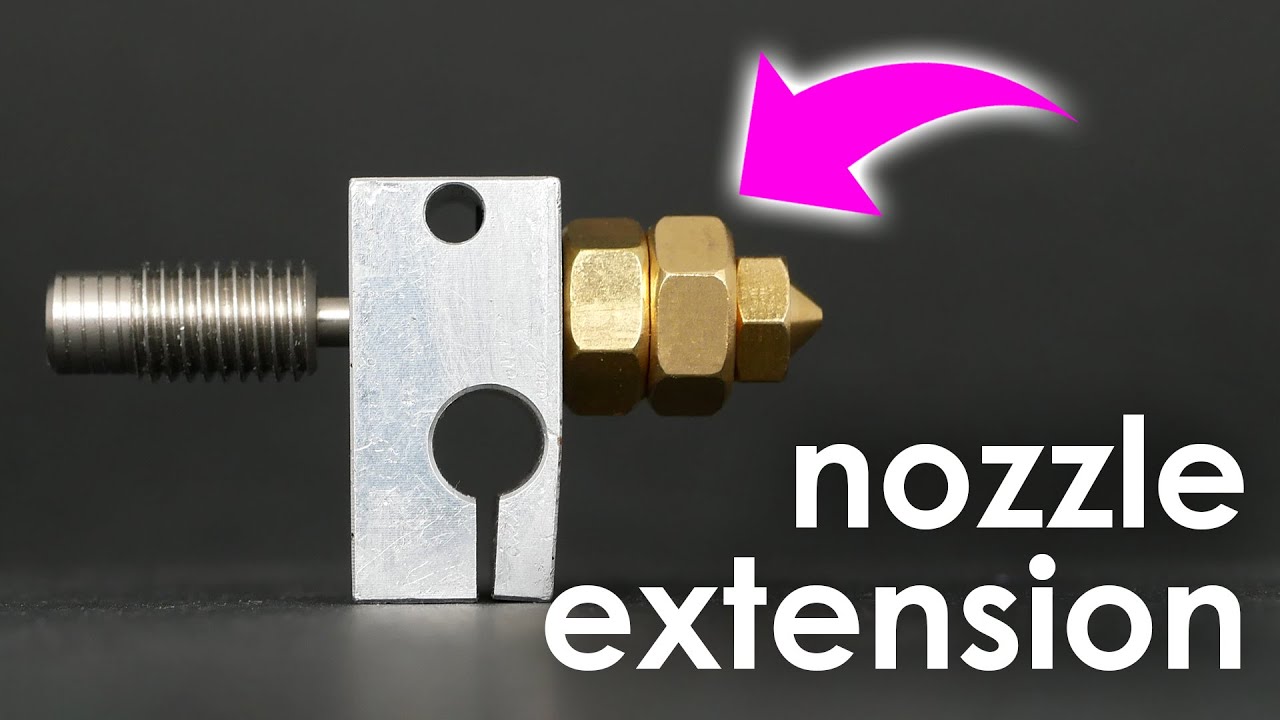
Now I’ve got to wait for the cheap copper insert high flow nozzle to arrive.
Self cleaning oven?
Do you want voc’s? Because that’s how you get voc’s


